
The pixel art studio with isometric tools built in
Draw, animate and export pixel art for your games. A native Windows app, made by one developer who wanted the iso tools every other editor was missing.
Free 30-day trial · Launch price £9.99 until 3 November (normally £12.99) · One-off purchase, no subscription
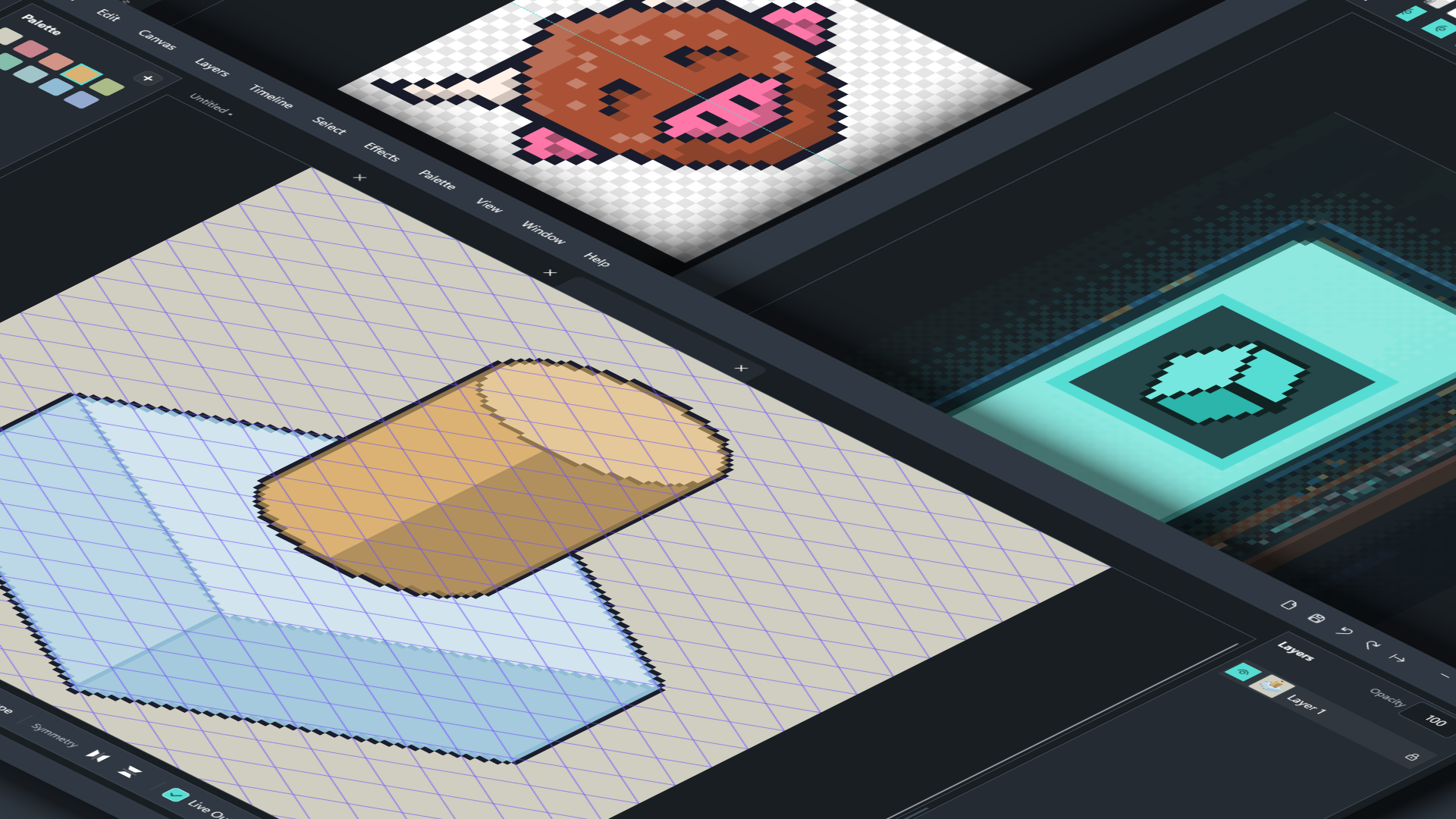
Isometric, without the maths
Turn on the iso grid and everything snaps to the right angles: lines, rectangles, ellipses, and the iso box tool that drags out a cube with its top and sides already shaded. Cylinders too. Blocking out buildings, terrain and props takes seconds.
- Isometric grid with adjustable tile size
- Iso line snapping (hold Shift)
- One-drag shaded cubes and cylinders
- Tile maps with a seamless tile preview
Animation that keeps up with you
Add, duplicate and drag frames into order, see neighbouring frames with tinted onion skin, and hold any frame for exactly as long as it needs. Group frames into tags like Walk, Idle and Attack, and loop them forward, reverse or ping-pong.
- Onion skin with adjustable range and tint
- Per-frame durations
- Animation tags with loop modes
- Multi-select frames and layers to delete or duplicate together
Tools that respect the pixel
Pixel-perfect pencil, spray, dither brush and dither gradient, symmetry, live outlines and alpha lock. Free transform with handles and a movable pivot, and RotSprite rotation so turned sprites stay clean instead of jagged.
- Pixel-perfect lines and shapes (Shift for perfect squares and circles)
- Dither brush and dither gradient
- Free transform, RotSprite, flip, scale and pixel nudge
- Double-click to select a whole shape
Make it yours
Turn any selection into a custom brush and share brush packs with friends. Design a pixel font in the built-in font creator, add it to your library, and type with it using the Text tool, alongside any font installed on your PC.
- Custom brushes and .rastrivobrushes packs
- Pixel font creator with live preview
- Text tool for pixel fonts and system fonts
- Palette presets and .hex palettes
Straight into your game
Export PNGs at any whole-number scale, sprite sheets with Aseprite-style JSON (tags and frame timings included), and animated GIFs with real transparency. Already have a sprite sheet? Import it and Rastrivo slices it into frames.
- PNG export at any scale, or several scales at once
- Sprite sheets with JSON data
- Transparent animated GIFs
- Sprite sheet import
System requirements
| Windows | Windows 10 (version 1809 or later) or Windows 11 |
|---|---|
| Processor | x64 or Arm64 |
| Memory | 4 GB (8 GB recommended) |
| Graphics | DirectX 11 |
| Input | Mouse and keyboard. Pen tablets supported. |
Questions
How does the free trial work?
Install it from the Microsoft Store and every feature works for 30 days, with no watermark and no account. After the trial you can still open, view and draw; buying unlocks saving and exporting again instantly.
Is it a subscription?
No. It’s a one-off purchase through the Microsoft Store, and updates are included.
Will my sprites work in my game engine?
Yes. Export PNGs, sprite sheets with JSON data (in the same layout many engines and tools already read), or animated GIFs.
Is there a Mac version?
Not yet. Rastrivo Studio is Windows-only for now.

Try every feature free for 30 days
No account, no watermark, no limits during the trial. If you love it, it’s a one-off purchase. No subscription, ever.