
Pixel art physics effects
Phystrivo
Set your sprites alight, shoot them, blow them up, melt, dissolve and slice them, shock and freeze them, make capes wave and characters fall. Then export the animation, every pixel crisp. Coming soon to Windows and Mac.
Real physics, pixel by pixel · Exports GIFs and sprite sheets · Works with Rastrivo Studio and Huetrivo
Fire
Click the sprite to set it alight. Fire spreads from pixel to pixel the way it would through the real thing, with flames licking upwards, smoke rolling off and embers drifting away on the wind.
What burns depends on what it’s made of. Wood catches easily and leaves blackened charcoal and falling ash behind. Metal won’t burn: it glows red-hot and melts instead, and ice turns to water.
- Burn speed and spread
- Flame height
- Smoke and embers
- Charcoal, and how dark it is
- Falling ash
Impact
Press anywhere on the stage and drag to aim. The shot flies along the arrow and hits the first pixel in its way, or just click the sprite for a head-on hit.
Each hit punches a hole and can carry on out of the back, with a spray from the exit. Pieces of the sprite break off and fly, and the splatter matches what was hit: dust, wood splinters, stone chips, ice shards, bone chips, sparks, or liquids like goo and oil that stain, drip and pool.
- Velocity and calibre
- Pass-through with an exit hole
- Hole or wound marks
- Splatter, chunks and drips
- Nine ready-made substances, or colours from your own palette
Explode
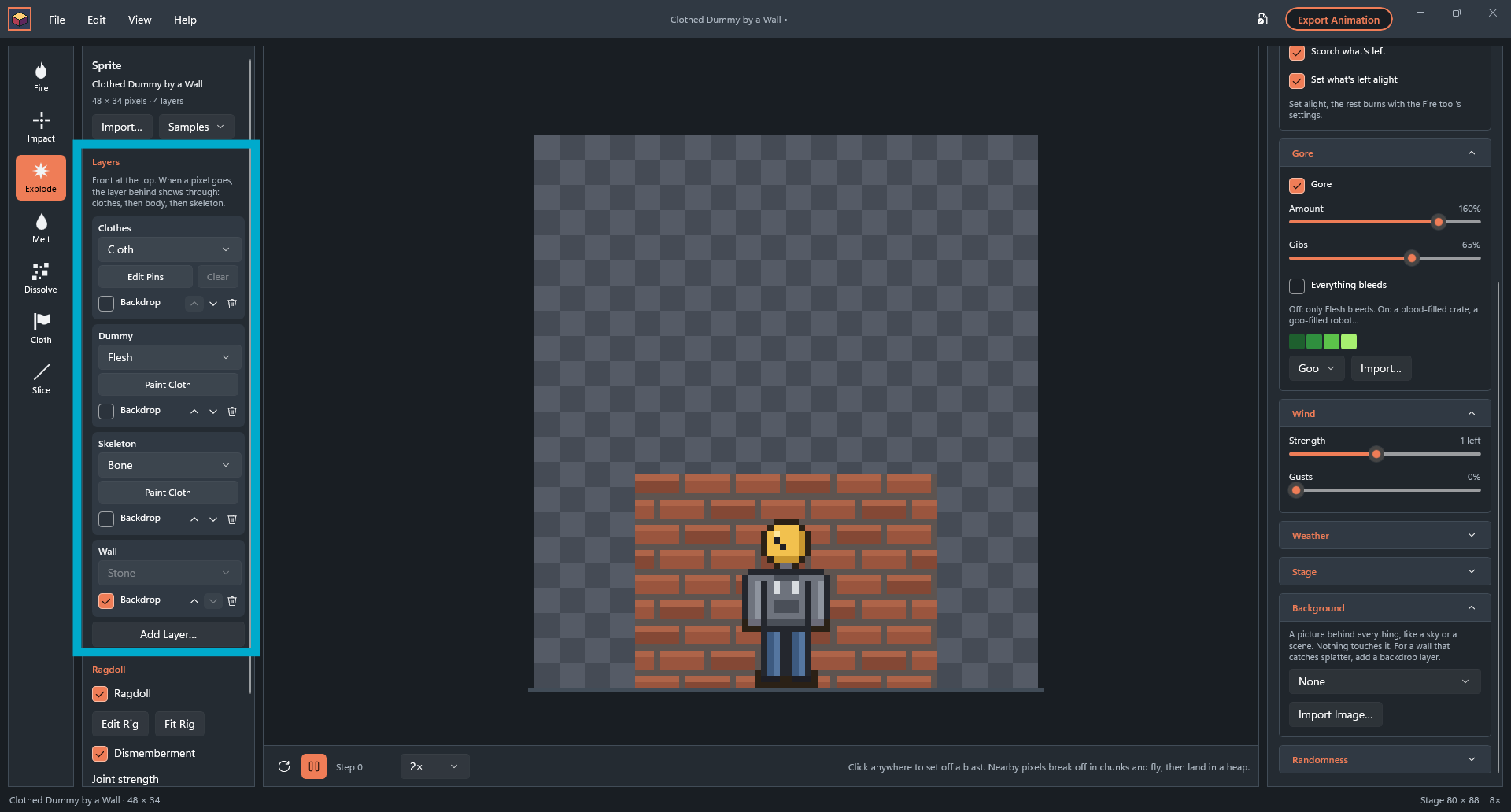
Click anywhere to set off a blast. Everything nearby breaks off in chunks and flies, tumbling through the air before landing in a heap on the floor.
A fireball and smoke billow out from the centre. The blast can scorch what’s left behind or set it alight, so an explosion can turn straight into a fire.
- Power and radius
- Chunk size, from single pixels up
- Fireball and smoke
- Scorch marks
- Set what’s left alight
Melt
Click to heat the sprite. The heat spreads out from there, the pixels glow, then they melt and run down into a thin puddle on the floor.
Liquid spreads and soaks away like the real thing, so you get a puddle rather than a pile. Let it cool, and still liquid sets solid again.
- Melt speed and heat spread
- Runniness
- Heat glow
- Cools solid again
Dissolve
Click the sprite and it comes apart pixel by pixel. Each one glows as it comes loose and drifts away, from where you clicked, or from the whole sprite at once.
Point the drift any way you like, up for a spirit leaving or sideways for something blown away on the wind, and add turbulence so the pixels swirl as they go.
- Speed and spread
- Whole sprite at once
- Drift angle and speed
- Turbulence
- Glow colour
Slice
Drag a line across the sprite to cut it clean through. The pieces slide apart along the cut, topple over and fall to the floor, and you can cut them again once they land.
Set how hard the swipe pushes and how much the pieces spin as they fall. Give the blade a gap and the pixels along the cut fly off as bits.
- Force
- Spin
- Blade gap, from a clean cut to 3 px
- Cut again once the pieces land
Shock
Click the sprite to send a jolt of electricity through it. The current runs out from where you click, furthest through metal, then flesh, while wood and stone barely carry it. Every pixel it reaches crackles electric blue, with arcs flying off its edges.
When it’s gone it leaves scorch marks, darkest where it was strongest, and can set wood alight. Turn on X-ray and flesh flashes the skeleton on the layer behind, cartoon style. With Ragdoll on, a shocked character stands stiff while the current’s in it, then drops. Or call down a lightning strike from the top of the stage.
- Power and length
- Arcs
- Lightning strike
- Scorch marks that can catch fire
- X-ray skeleton flash
Freeze
Click to freeze the sprite. Frost creeps out from where you click, or across the whole sprite at once, until it’s solid ice: tinted blue, with white rime along its edges and a glint here and there.
Frozen, it behaves like ice. Shots and blasts break it easily, fire melts it to water, and a frozen character stays standing like a statue. Click it again to shatter it into shards that fly apart and pile up on the floor.
- Freeze from a point or all at once
- Frost speed and look
- Shatter force and shard size
- Frozen things act as ice
Cloth
Flags, capes and banners come to life. Set a layer to Cloth, click it, and it hangs from its pins and moves with the wind, rippling and swaying as gusts come and go.
Paint the pins yourself to choose exactly what holds it up. Drawn the cape into the character? Paint over it and split it off as a Cloth layer of its own.
- Stiffness and weight
- Ripple
- Paint the pins
- Paint Cloth to split cloth off a sprite
- Stays above the floor
Ragdoll
Turn on Ragdoll and your character goes limp when it’s shot, caught in a blast or sliced, falling and tumbling with real joints: arms, legs, head and body all swinging free.
Phystrivo fits a skeleton rig to the sprite for you, and you can drag the joints to adjust it. Turn on dismemberment and limbs can break away at the joints, with a joint strength setting to choose how easily.
- Automatic rig, adjustable by hand
- Dismemberment
- Joint strength
- Falls when shot, blown up or sliced
Gore (optional)
Gore is off until you turn it on. When it’s on, anything that bleeds sprays, drips and leaves bits behind, whether it’s shot, blown up, set alight, melted, dissolved or sliced.
Choose how much there is and how many bits fly, and whether only flesh bleeds or everything does. Use blood, goo, or colours of your own.
- Off by default
- Amount and bits
- Flesh only, or everything bleeds
- Your own colours
Materials and layers
A sprite can have up to 8 layers, and each one is made of something: wood, metal, stone, flesh, ice, bone or cloth. Every effect treats each material its own way, so the same blast splinters wood and sparks off metal.
Put a skeleton layer under a flesh one, and a cut or a shot shows the bone underneath. Mark a layer as a backdrop and it stays still behind everything else.
- Up to 8 layers
- Seven materials
- Backdrop layers
- Ready-made samples to try every effect
Weather, wind and stage
Make it rain, with splashes, ripples and wet marks on everything it touches, or make it snow and watch it settle. Wind blows through it all, with gusts that come and go.
Set the stage size, gravity and floor. Make the stage tile so whatever leaves one side comes in the other, and set a seamless loop so weather, wind and cloth repeat exactly. Put a built-in sky or scene behind it, or your own picture.
- Rain and snow
- Wind and gusts
- Gravity and floor
- Seamless tiling and loops
- Seven built-in backgrounds, or your own
Export
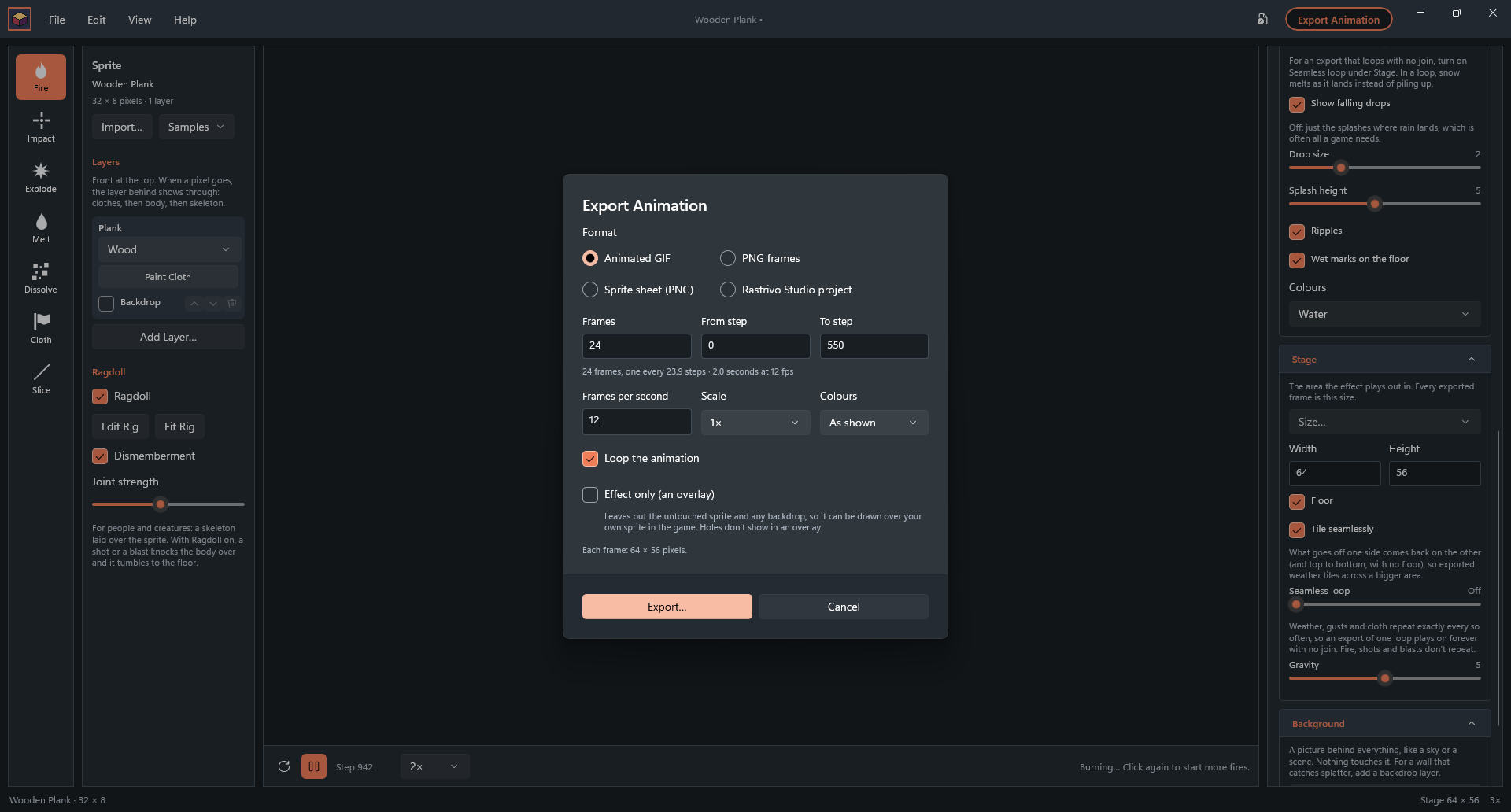
Export your effect as an animated GIF with real transparency, a sprite sheet, a folder of PNG frames, or a Rastrivo file to keep working on frame by frame.
Choose the frames and frame rate, scale up by whole numbers so the pixels stay square, and limit the colours. Export just the effect, without the sprite, to draw it over your own art in a game. Play it backwards and every effect has an opposite: a blast pulls itself back together, a dissolve materialises. Or play it forwards, then back.
- GIF, sprite sheet, PNG frames or .rastrivo
- Frame range and frame rate
- Whole-number scaling
- Colour limit
- Effect-only overlays
- Seamless loops
- Forwards, backwards, or there and back
Draw, colour, then bring it to life
Made to work with Rastrivo Studio and Huetrivo
Open a PNG or a Rastrivo Studio file straight onto the stage, and export the result back to Rastrivo to keep working on it frame by frame. Take your splatter colours from a Huetrivo palette or any .hex file, so effects match the rest of your art.