
Palette designer for pixel artists
Huetrivo
Design pixel art palettes ramp by ramp. Pick a base hue, shape the shading with curves, and check every colour before you paint. Free for Mac and Windows.
Free · No account, no ads, no tracking · Works with Rastrivo Studio
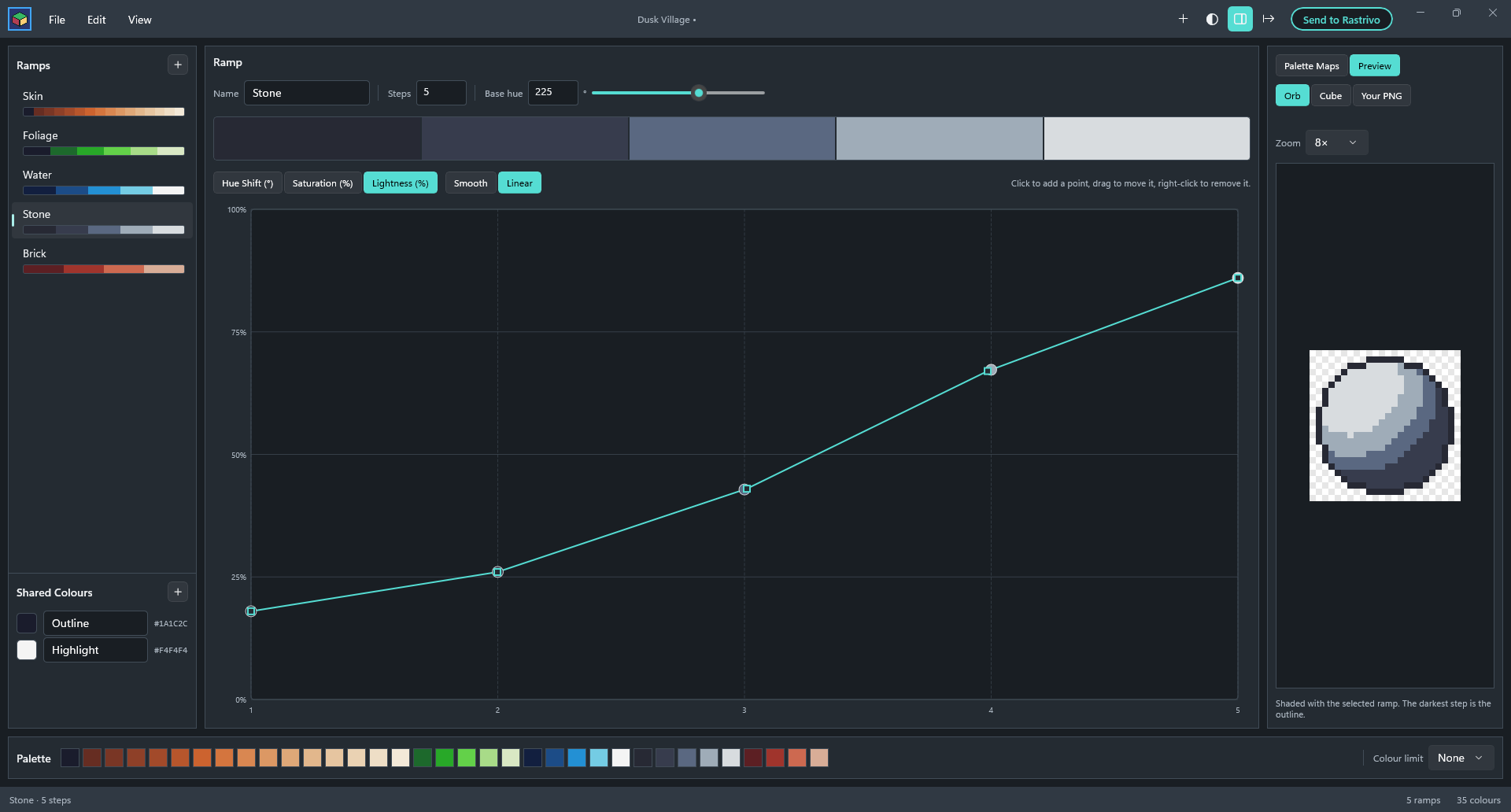
Everything a palette needs
Ramps, not guesswork
Each ramp is a run of colours from dark to light, built from a base hue and three curves: hue shift, saturation and lightness. Up to 32 steps per ramp.
Curves you can shape
Click to add a point and drag to reshape a curve. Smooth curves never overshoot, so your shades always stay in order.
Hue shifting built in
New ramps lean their light steps towards yellow and their dark steps away from it, the classic pixel art trick, ready for you to fine-tune.
See the whole palette
A hue wheel and a lightness plot show every ramp at once, and greyscale mode checks your contrast before you paint.
Preview on real art
Shade a sample orb or cube with a ramp, or open your own PNG and see it recoloured with your new palette.
Shared colours and limits
Use one outline colour across every ramp, and set a colour limit from 4 to 256 with a warning when you go over.
Export anywhere
Save .hex palettes (the format Lospec uses), a PNG strip with one pixel or an 8 px swatch per colour, or a PNG with a row per ramp.
Send to Rastrivo
One click opens your palette in Rastrivo Studio, ready to paint with, and saves it there as a palette preset.
Design here, paint there
Made to work with Rastrivo Studio
Huetrivo is where you design a palette; Rastrivo Studio is where you paint with it. Press Send to Rastrivo and your palette opens in Rastrivo, saved under Palette → Presets for every project after. Prefer another app? Export a .hex file or PNG strip instead.